


 Dylan Hoback
Accu-Tube
Dylan Hoback
Accu-Tube
My Praxie analytics software transformed our operations, enabling data-driven decisions and streamlining our manufacturing process.

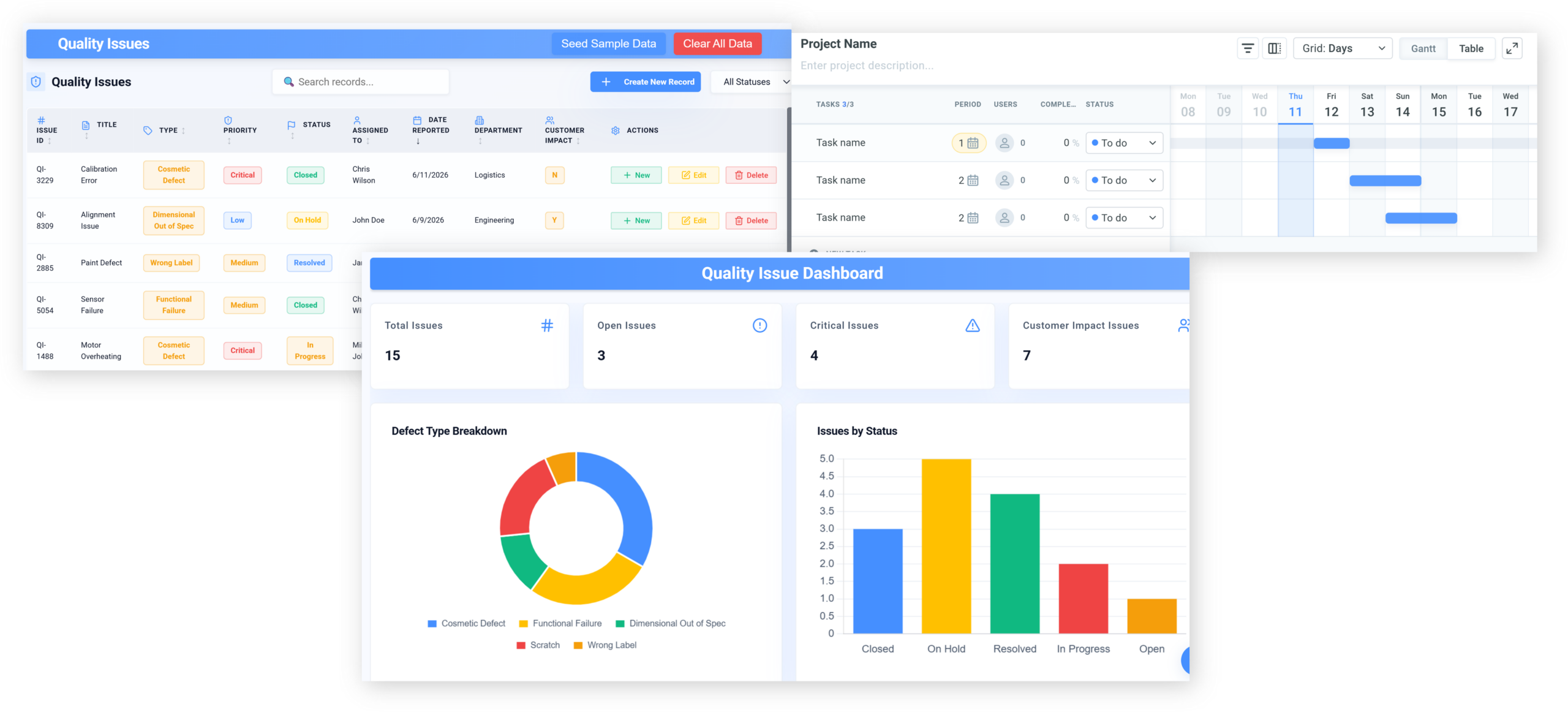
Replace scattered quality checks and issue logs with AI that gives every problem one owner, one record and one route to closure — wherever it was first spotted.
AI quality issue managerfor quality and production leaders
Customer Success Stories
Dylan Hoback
Accu-Tube
“My Praxie analytics software transformed our operations, enabling data-driven decisions and streamlining our manufacturing process.
 Jason Carpenter
Environmental Pest Management
Jason Carpenter
Environmental Pest Management
“With Praxie, I found a way to take what was in documents and spreadsheets and provide my team with a visual application environment to drive our strategy with full accountability.
 Elizabeth Pridham
Perfection Fresh
Elizabeth Pridham
Perfection Fresh
“Praxie dramatically improved our process through digital transformation. We now have visibility and can drive decisions at a fraction of the time.
 Scott Russell
NUCOR Vulcraft
Scott Russell
NUCOR Vulcraft
“I would heartily recommend the Praxie team to any organization seeking to seriously undertake a lasting and successful innovation process.
 Mike Bainbridge
Dover Food Retail
Mike Bainbridge
Dover Food Retail
“Our MFG Ops application greatly improved our daily management initiatives. It is easy to see how we are doing, identify issues, and track improvements—no matter where we sit.
 Jeff Piotrowicz
ChemLink
Jeff Piotrowicz
ChemLink
“With Praxie we've created a way to report on complex projects that gives management full visibility. Executives have visibility to projects, assignments, and more at their fingertips.
 Maureen Thompson
American Nurses Association
Maureen Thompson
American Nurses Association
“Our Praxie App makes it easy to track progress on strategic objectives across the organization and includes an executive-level dashboard with real-time reports to the board on key initiatives.
 Tom Anderson
Springfield Armory
Tom Anderson
Springfield Armory
“Praxie is used every day to track and analyze every aspect of production, quality, safety, and more. We improved quality by 10%.
 Peggie Pelosi
Innovators Alliance
Peggie Pelosi
Innovators Alliance
“Almost overnight, Praxie created a customized solution for our 100 member organizations across Canada to drive strategy and innovation.
 Kate Merton
Anthem
Kate Merton
Anthem
“Praxie's innovation solution stood out from other options because it can be customized so quickly to fit our exact process requirements. Plus, it is incredibly easy to use and manage.
Dylan Hoback
Accu-Tube
“My Praxie analytics software transformed our operations, enabling data-driven decisions and streamlining our manufacturing process.
Jason Carpenter
Environmental Pest Management
“With Praxie, I found a way to take what was in documents and spreadsheets and provide my team with a visual application environment to drive our strategy with full accountability.
Elizabeth Pridham
Perfection Fresh
“Praxie dramatically improved our process through digital transformation. We now have visibility and can drive decisions at a fraction of the time.
Scott Russell
NUCOR Vulcraft
“I would heartily recommend the Praxie team to any organization seeking to seriously undertake a lasting and successful innovation process.
Mike Bainbridge
Dover Food Retail
“Our MFG Ops application greatly improved our daily management initiatives. It is easy to see how we are doing, identify issues, and track improvements—no matter where we sit.
Jeff Piotrowicz
ChemLink
“With Praxie we've created a way to report on complex projects that gives management full visibility. Executives have visibility to projects, assignments, and more at their fingertips.
Maureen Thompson
American Nurses Association
“Our Praxie App makes it easy to track progress on strategic objectives across the organization and includes an executive-level dashboard with real-time reports to the board on key initiatives.
Tom Anderson
Springfield Armory
“Praxie is used every day to track and analyze every aspect of production, quality, safety, and more. We improved quality by 10%.
Peggie Pelosi
Innovators Alliance
“Almost overnight, Praxie created a customized solution for our 100 member organizations across Canada to drive strategy and innovation.
Kate Merton
Anthem
“Praxie's innovation solution stood out from other options because it can be customized so quickly to fit our exact process requirements. Plus, it is incredibly easy to use and manage.


Spotting the issue was never the hard part. Making sure exactly one person owns it through to a fix is the job.
“This is the same complaint as last quarter.”
“We report it every shift. Nothing happens.”
The same defect in a check sheet, an email and a meeting — and no owner.
You do not need more reporting channels. You need every issue to have one owner and one route — wherever it came from.
Most quality and production leaders recognise at least four of these. If you recognise six, the rest of this page is written for you.
None of this is a reporting problem. It is an ownership problem.
Is this you?
Worked example — multi-shift quality operationCheck sheets, email, and a meeting action list — all capturing the same problems under different names.
Because an issue could be raised in several places, duplicates looked like separate problems, ownership was ambiguous, and the ones that mattered most were not obviously the ones recurring.
With every report resolving to one record and one owner, duplicates merge, recurrence becomes visible, and an issue closes only when the fix is evidenced.
Three lists and no owner.
One list that is actually true.
Digital guidance and AI assistance reduce manual inspection administration.
Defects are caught earlier before they become customer-impacting issues.
Reduced scrap, rework, containment, and corrective action delays.
Inspection evidence, approvals, and dispositions are easier to retrieve.
AI summaries and workflow automation help teams resolve issues sooner.
Better process control improves quality before defects move downstream.
Which quality issue has been raised more than once without being fixed?
Now select a day and time below.
The objections we hear in the first 20 minutes — answered plainly.
Answer: AI helps inspectors catch issues faster by analyzing check results, photos, notes, historical defects, process trends, and recurring failure patterns. It does not replace human judgment; it supports teams with explainable recommendations, risk alerts, and next-step guidance so quality leaders stay in control.
Answer: Yes. AI-powered quality check software digitizes inspections, automates checklist routing, captures evidence, organizes nonconformances, and updates dashboards automatically. Teams spend less time chasing forms and more time preventing defects from reaching customers.
Answer: The system can trigger the right workflow immediately, including issue escalation, containment actions, corrective action requests, photo documentation, owner assignment, due dates, and follow-up verification. AI can also summarize the issue and suggest likely causes based on similar past problems.
Answer: Yes. The AI continuously looks across inspection data, defect categories, locations, suppliers, shifts, machines, and products to identify trends that are easy to miss manually. This helps teams move from reactive quality control to proactive prevention.
Answer: Yes. Basic checklists capture data, while AI-powered quality check software helps interpret it. It connects inspections, defects, evidence, corrective actions, analytics, and recommendations so teams can act faster and improve quality performance over time.
Send us a sample of your open quality issues. We’ll show you what Praxie would do with them — your reports, your duplicates, your owners.
No cost, no obligation — and you keep what we find either way.