


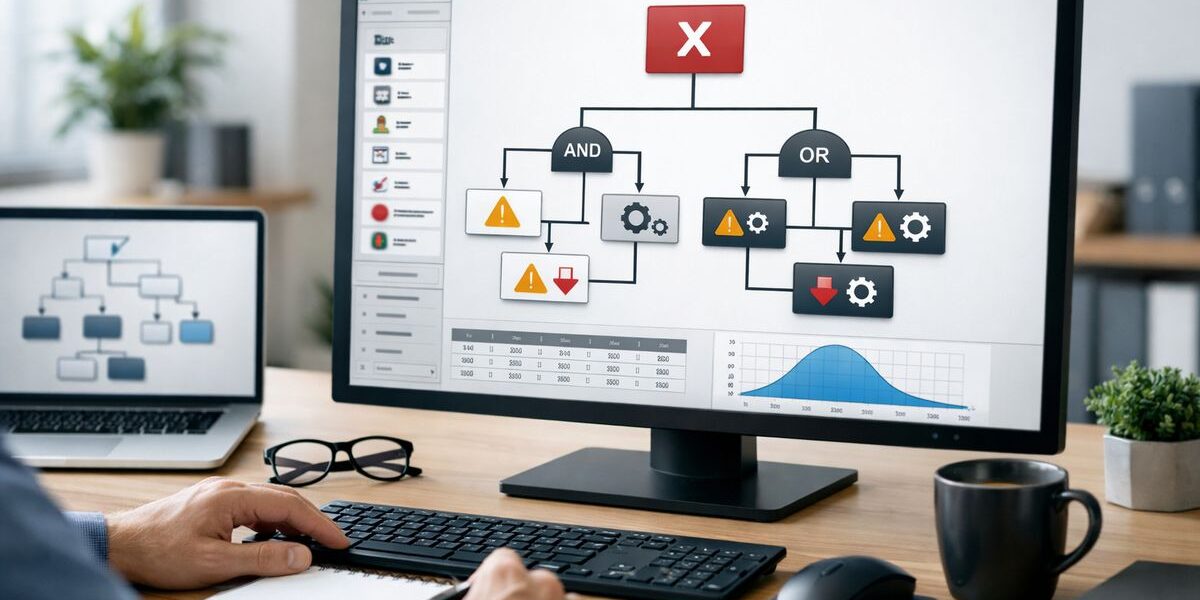
Fault tree analysis software helps you map how small failures combine into one bigger system problem. If you want cleaner decisions in manufacturing, especially around AI, automation, and downtime prevention, this matters more than a flashy dashboard ever will.
What Fault Tree Analysis Software Actually Does
At its core, fault tree analysis software turns failure into a visual logic model. You start with the top event, which is the bad outcome you care about, like a packaging line stopping, a robot arm misfiring, or a safety system failing to trigger. From there, you break that event into smaller contributing causes and connect them with logic gates such as AND and OR.
Think of it like tracing a traffic jam back through every blocked intersection instead of just staring at the final backup. You get a clear picture of what had to go wrong, what could go wrong on its own, and where the weak spots actually sit.
That matters in manufacturing because AI tools are only as good as the data and logic behind them. If your failure data is vague, scattered across spreadsheets, or trapped in someone’s memory after a night shift, your models will learn very little. Fault tree analysis software gives you a structured way to organize failure paths so your process decisions are based on something real.
The Features That Matter Most When You’re Comparing Tools
A lot of tools can draw boxes and lines. That is not the same as helping you understand risk. When you compare fault tree analysis software, the real question is simple: does this tool help you build, analyze, reuse, and trust the model?
Diagram building, logic gates, and ease of use
The software should make tree building feel straightforward. You should be able to add branches, edit events, label causes clearly, and apply standard fault tree symbols without wrestling the interface. AND and OR gates need to be easy to place and easy to read because that logic is the backbone of the whole model.
If building a tree feels like assembling flat-pack furniture with the wrong screwdriver, adoption will stall. People will avoid it, rush through it, or go back to whiteboards and general diagram tools.
Quantitative analysis, not just drawing
This is where buyers often get tripped up. A diagramming tool helps you picture a problem. True fault tree analysis software helps you calculate it.
You want support for probabilities, minimal cut sets, and event importance measures. In plain English, that means the software should help you estimate how likely a top event is, identify the smallest combinations of failures that can cause it, and show which basic events matter most. That is the jump from “nice chart” to usable risk insight.
Templates, libraries, and standards support
Prebuilt component libraries and reusable templates save a surprising amount of time. If your team keeps modeling pumps, sensors, valves, conveyors, or control units, you should not rebuild those pieces from scratch every time.
Standards support matters too, especially if consistency matters across plants, audits, or regulated processes. The less variation you introduce into how people build trees, the easier it gets to compare results and trust them later.
The All-in-One AI Platform for Orchestrating Business Operations
 Instantly create & manage your process Use AI to save time and move faster Connect your company’s data & business systems
What Buyers Should Look For if AI Is Part of Your Plan
Fault tree analysis software is not magically “AI.” That is actually good news. You do not need another vague promise about intelligence layered on top of bad data.
What you need is structure. Clean inputs beat flashy dashboards every time. If your long-term plan includes predictive maintenance, anomaly detection, or smarter process optimization, the software should help you produce failure data that machines can actually read and learn from.
Data export, integrations, and model-ready structure
Look for easy export options, APIs, and links to systems you already use. That might include MES, your manufacturing execution system that tracks production activity on the plant floor; ERP, your system for planning materials, inventory, and operations; CMMS, your maintenance tracking software; or SCADA, the control layer that monitors equipment in real time.
If a tool traps fault trees in static files or pretty screenshots, it will slow you down later. Structured exports, clean naming, and usable data fields make it far easier to feed recurring failure patterns into AI workflows or reliability platforms.
Collaboration and version control across teams
Fault trees do not belong to one department. Maintenance sees one piece, engineering sees another, quality notices patterns, and operations lives with the impact.
That is why comments, permissions, change tracking, and audit trails matter. When a model changes after an incident, a process update, or a design tweak, you need one shared source of truth instead of five conflicting copies floating around email.
Practical Questions to Ask Before You Buy
Demos are polished. Real operations are not. The right questions expose that gap fast.
Will it fit your plant’s complexity and pace?
Some tools handle simple line-level problems well but get messy when systems become layered and interconnected. Others are built for giant models but feel clumsy for everyday troubleshooting.
Check both ends. If you need to trace a packaging-line stoppage at 2:15 a.m., nobody has time to fight the interface just to add one sensor fault and test a logic path.
How hard is setup, training, and day-to-day use?
A good tool should not require a long ramp-up just to do basic work. Pay attention to onboarding, documentation, support quality, and how quickly occasional users can get useful results.
Here’s the thing: the best software is not the one with the longest feature list. It is the one your team still uses six months later without groaning every time it opens.
What does pricing really include?
License price is only the start. You also need to account for training, user seats, add-on modules, support tiers, cloud versus desktop deployment, and integration work.
The catch is that a lower sticker price can turn into a higher real cost if setup drags on or key features sit behind extra fees. Price the implementation, not just the quote.
Common Mistakes and Misconceptions About Fault Tree Analysis Software
A few bad assumptions show up again and again, especially during first-time purchases.
“Any diagram tool is good enough”
General diagram software can help you sketch a problem, but that is where the value usually stops. You miss calculations, traceability, and the ability to do real reliability analysis in a repeatable way.
“More features automatically means a better fit”
More is not always better. Extra modules can clutter the interface and slow adoption if your team mainly needs strong fault tree modeling, solid analysis, and clean data handling.
The trick is to get the features you will actually use, not the whole hardware store.
“AI features matter more than analysis quality”
This one is worth saying plainly: if the fault model is weak, the AI layer will not rescue it. Poor logic in, polished nonsense out.
A Simple Shortlist for Choosing the Right Tool
Shortlist fault tree analysis software that does four things well: it is easy to model in, performs real quantitative analysis, connects to your existing systems, and supports the way your team actually works.
Then try one real use case inside a trial. Pick a recurring downtime event, build the tree, test the logic, export the data, and see how the tool feels in practice. Five minutes into a real problem will tell you more than an hour of sales slides.
The All-in-One AI Platform for Orchestrating Business Operations
Instantly create & manage your process Use AI to save time and move faster Connect your company’s data & business systems
