


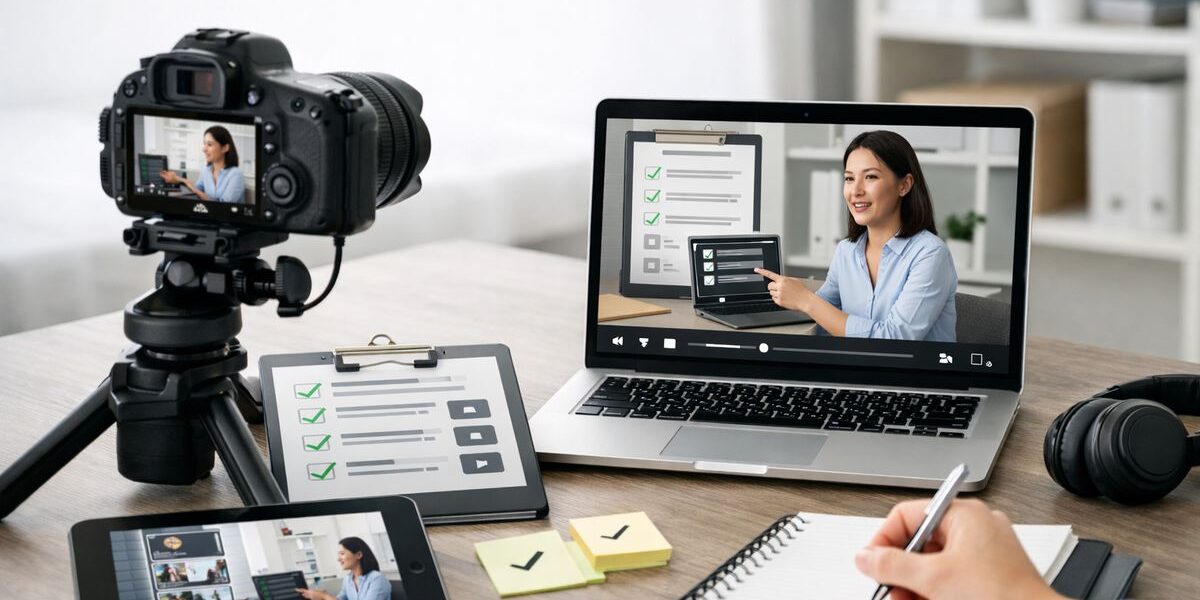
Video SOPs are standard operating procedures captured in video, and they fix a problem most teams know too well: the work changes faster than the documentation. If your supervisors, operators, or IT leads keep reteaching the same task because nobody wants to dig through a stale PDF, video SOPs are one of the fastest ways to document how work actually gets done.
What video SOPs are, and why they get work documented faster
A video SOP is exactly what it sounds like: a standard operating procedure recorded as video, usually paired with text like captions, transcripts, or step summaries. Think of it as the difference between reading a recipe and watching someone cook it in your kitchen with your tools. One is abstract. The other shows the real motion, timing, and judgment.
That matters because documentation often breaks at the same point. Someone means to write down the process, gets pulled into production or support work, and the document never catches up. Then the team falls back on memory, side chats, and shoulder taps. Video cuts through that because recording a task is usually much faster than writing it from scratch.
A simple definition you can use with your team
Use this internally: a video SOP is a repeatable work procedure captured on video, with enough structure around it that someone else can follow it correctly. That structure might include spoken narration, on-screen labels, timestamps, captions, a transcript, or a written checklist generated from the recording.
It does not only mean one thing. In manufacturing, it might be a phone video showing a machine startup, a changeover, or an inspection routine. In IT, it could be a screen recording of account setup, a ticket triage flow, or a system provisioning task. Sometimes it is both, a camera view for the physical work and a screen recording for the software steps tied to it.
Why this matters now for AI-enabled operations
Here’s where it gets practical. AI has made the annoying part of documentation much lighter. A recording can now be transcribed, summarized, tagged, translated, and turned into a first-draft written SOP in minutes instead of hours.
That makes video SOPs more than training content. They become a bridge between tribal knowledge and structured process data. If you are trying to bring AI into production or support workflows, you need clean examples of how work is performed. Video gives you the raw material, and AI helps shape it into something searchable and reusable. That is a big reason teams looking at AI-powered guidance for frontline work often start with better process capture first.
Where video SOPs fit in manufacturing and IT
In manufacturing, the fit is obvious once you start listing the tasks people keep asking about: machine setup, changeovers, line clearance, quality checks, basic maintenance, startup and shutdown routines, material handling, first-piece validation. These are visual tasks. Seeing the sequence matters.
In IT, the use cases are just as strong. Screen recordings work well for new user onboarding, software installation, permissions setup, recurring service desk tasks, backup verification, incident triage, and handoff workflows between teams. If the process moves across several systems with lots of tiny clicks and status checks, a video SOP often explains it faster than a wiki page ever will.
Why traditional SOPs keep breaking down
Traditional SOPs fail for boring reasons, not dramatic ones. They take too long to write, they are annoying to maintain, and they rarely capture the details people actually need in the moment. So they drift out of date, and once that happens, trust drops fast.
The deeper problem is that text-only SOPs assume the work can be fully explained in words. Sometimes it can. Often it cannot. A lot of real work depends on cues like pace, hand position, screen state, machine sound, or the order of small decisions that experienced people barely notice they are making.
Low engagement: people do not read what slows them down
When someone is trying to get a line back up or close a support ticket queue, they are not eager to read a six-page document. They want the shortest path to the answer. A quick video clip or a timestamped walkthrough feels lighter because it reduces scanning, guessing, and re-reading.
That is not laziness. It is workflow pressure. People skip anything that makes the task take longer. If your SOP format adds friction, they will route around it.
Clarity gaps: written steps miss motion, timing, and judgment
Written instructions are weak at showing motion. “Align the part carefully” sounds fine until you realize there are three possible alignments and only one seats properly. “Wait until the screen updates” also sounds simple until the update is a subtle status icon in the top corner.
Video fills in those missing details. It shows how long to wait, where to look, what a normal result looks like, and what to notice before moving on. That is why teams working on clearer operator guidance on the floor keep coming back to visual instructions. Some things are easier to show than describe.
Outdated docs create rework and repeat questions
An outdated SOP causes more damage than just confusion. It creates rework, workaround habits, and constant interruptions for the one person who still remembers the right method. Then that person becomes the unofficial search engine for the team.
The hidden cost is repetition. If a lead tech explains the same process three times a week, that is documentation debt showing up as labor. Video SOPs help because once the procedure is captured and easy to find, the answer stops living in one person’s head.
How video SOPs actually work in practice
A useful video SOP is not just a recording dumped into a folder called “training.” It has structure. People need to know what the video covers, who owns it, when it was last reviewed, and how to jump to the part they need.
The best way to picture it is as a small package, not a file. The package includes the video itself, the steps pulled out of it, the metadata around it, and the links or references a person may need before or after they watch.
The core pieces of a useful video SOP
Start with the recording. Then add a clear title, a named owner, and a revision date. Include narration or annotations so viewers understand what they are seeing. Add step markers or chapters so they can jump directly to setup, calibration, verification, or shutdown. Include a transcript because text makes the content searchable. Link any related forms, specs, checklists, or safety notes.
That sounds like extra work, but with current tools, much of it can be generated automatically and then cleaned up by a human reviewer. The recording is the raw material. The structure is what makes it operational.
Different formats: screen, camera, and hybrid SOPs
Screen-based SOPs are ideal for software workflows. They capture clicks, fields, menus, system messages, and timing. These are great for IT tasks or any manufacturing process that depends on MES, ERP, QMS, or HMI screens.
Camera-based SOPs are better for physical work. A phone, tablet, or fixed camera can show hand placement, machine controls, material positioning, inspection angles, or tool use. Hybrid SOPs combine both. That is often the best fit when the process moves between the floor and a system, like entering a setup value after a mechanical adjustment or documenting a quality result after inspection.
Searchability is the make-or-break feature
The catch is this: if people cannot find the exact step they need, the video will be ignored. Searchability is not a nice extra. It is the whole game.
That means transcripts, timestamps, chapter markers, tags, and AI summaries matter a lot. A ten-minute walkthrough is fine if a technician can search “first-piece check” and jump to the correct 40 seconds. Without that, you just created a slower PDF. If your team is already comparing formats, it helps to understand where video fits alongside software used to manage step-by-step procedures.
The All-in-One AI Platform for Orchestrating Business Operations
 Instantly create & manage your process Use AI to save time and move faster Connect your company’s data & business systems
Video SOPs vs written SOPs: when to use each
This is not a winner-take-all choice. Video SOPs are better for showing. Written SOPs are better for scanning, controlling, and referencing. Most teams need both.
The real question is which format should lead for a given task. If the process is visual or hard to describe, video should come first. If the process is policy-heavy or needs exact wording, text should lead.
Use video when the task is visual, physical, or hard to describe
Video wins when the work depends on what something looks like, sounds like, or feels like in sequence. Machine setup is a good example. So is inspection technique. So is navigating a complicated software workflow with several possible clicks and validation points.
Troubleshooting is another strong fit. Seeing the error condition, the diagnostic path, and the expected fix often removes the ambiguity that written steps leave behind.
Use written SOPs when precision, scanning, and policy control matter most
Written SOPs still matter when exact phrasing, decision logic, or policy rules need to be locked down. Compliance requirements, escalation criteria, specifications, tolerance ranges, and safety controls often belong in a written format because people need to skim and reference them quickly.
Text is also easier to version-control in strict environments. If approval language matters, or if a process needs formal sign-off, written SOPs remain part of the system.
The best setup: video for showing, text for searching and standardizing
The strongest setup is a hybrid one. Capture the task on video first, then use that recording to generate or maintain the written SOP. Video captures reality quickly. Text makes it easier to search, standardize, and govern.
That approach also improves consistency across teams. Instead of asking subject matter experts to write from memory, you record the work as it happens and build the written layer from observed practice. It is a much cleaner starting point, especially for turning visual process knowledge into repeatable instructions.
The biggest benefits of video SOPs for manufacturing and IT teams
The benefits are pretty straightforward. You get documentation faster, people learn tasks more quickly, and fewer steps get lost in translation. That is not marketing fluff. It is what happens when you reduce the gap between real work and recorded work.
Faster documentation with less effort from subject matter experts
Most experts do not avoid documentation because they dislike standards. They avoid it because writing takes too long. Recording a task is usually easier. A technician can perform a maintenance routine while narrating it. A system admin can record a screen share while setting up an account.
That lowers the effort required to capture knowledge. And once AI turns the recording into a draft transcript and step list, the expert only needs to review and correct, not start from a blank page.
Better training and retention
People remember what they can see. That is especially true for tasks involving sequence, visual checks, and decision points. A video SOP gives learners something they can replay, pause, and revisit without needing a trainer present every time.
Honestly, this is the part teams notice fastest. One good walkthrough can eliminate a surprising amount of shadowing.
Fewer errors, less variation, and smoother handoffs
Variation creeps in when instructions are vague or inconsistent. One shift does it one way, another shift does it slightly differently, and after a month nobody agrees on the standard. Video reduces that ambiguity because everyone sees the same method.
It also helps at handoff points. When a process moves from operator to quality tech, or from service desk to infrastructure, a shared visual reference cuts down on “I thought you meant…” mistakes.
Easier scaling across sites, shifts, and languages
Video SOPs work well for distributed teams because they can be watched asynchronously. A plant on second shift can use the same procedure as a plant on first. A contractor can review the process before arriving onsite. A new hire can revisit the exact step they forgot without waiting for someone to be free.
Captions and translated transcripts help even more. If you are trying to standardize procedures across locations, this pairs well with broader efforts around keeping process changes under control as AI enters the workflow.
Where AI changes the game for video SOPs
AI does not magically create good procedures. It does make the slow parts much faster. That distinction matters.
The useful role of AI is support. It helps capture, structure, retrieve, and update documentation. It takes the rough recording and turns it into something teams can actually use.
AI can turn a recording into a first-draft SOP
Start with transcription, which means turning spoken words into text. Then step extraction, which means identifying the distinct actions in the recording. Add summarization, title suggestions, and a draft written procedure.
That saves time because the first draft is often the hardest part. Instead of writing every step by hand, a reviewer edits an existing draft. For busy manufacturing and IT managers, that is a very different workload.
AI helps organize and retrieve knowledge later
AI also helps after the SOP is published. It can tag content automatically, detect likely steps, identify related procedures, and improve search using meaning instead of exact wording. That last part is often called semantic search, which just means the system can understand that “reset account access” and “restore user login” may point to the same procedure.
In practice, that means a worker can search for the answer they need in plain language and land on the right section faster. That reduces the “rewatch the whole thing” problem.
AI can support translation, voiceover, and accessibility
Multilingual subtitles, translated transcripts, and text-to-speech voiceovers make SOPs easier to roll out across mixed-language teams. Captions also help in noisy environments, which is common on the floor and in shared offices.
Accessibility improves too. Searchable transcripts, readable captions, and alternate audio options make the content more usable for more people, without needing to create a separate training asset from scratch.
The limits of AI in SOP creation
AI is a speed tool, not an approval authority. It will miss nuance. It may flatten exceptions. It can misunderstand machine-specific terms, system names, or safety steps if the input is messy.
So human review stays in the loop. Operators, technicians, supervisors, and system owners still need to validate the final content, especially for safety, quality, and security-sensitive processes. The trick is getting the speed benefit without pretending automation can replace judgment.
How to create a video SOP, step by step
A good rollout starts simple. Do not begin with your most regulated process or the messiest workflow in the building. Pick something repetitive, visible, and annoying enough that everyone will appreciate a better answer.
Step 1: Pick the right process to record first
Choose a task with high repeat volume, high friction, or lots of repeat questions. In manufacturing, that could be machine startup, a basic changeover, or a quality check. In IT, it could be user onboarding, password resets, software deployment, or routine backup verification.
The best first target is a process people ask about constantly but that is stable enough to document without chaos.
Step 2: Record the process as it is actually done
Capture the real workflow, not the ideal one from memory. Use a clean camera angle or screen recording. Make sure the audio is understandable. Reduce background noise where you can. Show decision points, not just the happy path.
If there is a common exception, include it. If the operator listens for a sound before moving on, say that out loud. If a screen confirmation matters, zoom in or call it out.
Step 3: Break the task into clear steps
Once the raw recording exists, divide it into stages with simple labels. Setup. Verify prerequisites. Perform the action. Confirm the result. Handle exceptions. Close out.
Shorter sections are easier to search and update. They are also easier to reuse in other SOPs later, which becomes a big advantage once your library grows.
Step 4: Add narration, callouts, and context
Narration explains the why behind the step. Callouts, arrows, text overlays, and zooms direct attention to the details that matter. Warnings matter too. A viewer should understand not just what to do, but what to notice and what can go wrong.
This is where a lot of raw recordings become actual SOPs. Without context, viewers have to guess which details matter.
Step 5: Generate the written draft with AI
Use AI to produce a transcript, summary, checklist, and first-pass written SOP. That written layer makes the procedure searchable and easier to govern. It also gives reviewers a clean artifact to comment on.
Treat it as a draft. A useful one, but still a draft.
Step 6: Review with the people who own the work
Have the right people review it: operators, technicians, supervisors, quality leads, security owners, or system administrators. They will catch unsafe shortcuts, missing prerequisites, vague wording, and process drift.
That review is where the SOP becomes trustworthy. Without it, speed turns into risk.
Step 7: Pilot before publishing broadly
Test the SOP with someone who does not already know the task cold. A new employee is ideal. Someone from an adjacent team also works. Watch where they pause, rewind, or ask for help.
If they get stuck, the SOP is not done yet. I have seen teams call a recording “finished” just because it looked polished, then discover it only made sense to the person who recorded it.
Step 8: Publish where people already work
Do not bury the final SOP in a deep folder tree. Put it in the systems people already open during the job: your LMS, QMS, MES portal, knowledge base, intranet, ticketing platform, or team chat channel.
Convenience drives adoption. If the procedure is hard to access, people will go back to asking the nearest expert.
Best practices that make video SOPs actually useful
The difference between a helpful SOP and a forgotten one usually comes down to a few basic choices. Length, structure, clarity, and ownership matter more than flashy editing.
Keep each video short and focused
One task per video is a good rule. If a process is long, split it into modules. People do not want a single giant walkthrough if they only need one step in the middle.
Short videos are also easier to update. Replace one clip, not the whole series.
Show the exact trigger, action, and expected result
A strong SOP shows when to start, what to do, and how to know the step worked. That sounds simple, but many procedures skip one of those three.
For troubleshooting and quality work, this structure is especially useful. It removes ambiguity and gives people a clear finish line.
Design for the person doing the task under pressure
Most SOPs are not used in calm classroom conditions. They are used mid-task, while a machine is waiting or a queue is building. That means the design has to respect pressure.
Clear titles, chapter markers, captions, on-screen labels, and mobile-friendly playback all help. If someone is holding a tablet on the floor or checking a laptop during a ticket, the SOP should work in that context.
Include exceptions, warnings, and common failure points
A procedure that only shows the ideal path is incomplete. Call out what not to do, when to stop, what abnormal looks like, and which alternate path to use if the screen or machine state differs.
This is where the most valuable knowledge often lives. Not in the main flow, but in the “if this happens” moments.
Pair every video with ownership and a review date
Every SOP needs an owner. It also needs a version and a review date. Otherwise the library starts decaying the moment it is published.
This matters even more if you are connecting SOPs to broader efforts in improving how manufacturing processes get standardized and automated. The content has to stay current or the system will quietly lose credibility.
Common mistakes that make video SOPs fail
Most video SOP failures are not caused by the idea itself. They happen because teams do the obvious first draft and stop there.
Mistake: treating raw recordings like finished SOPs
A rambling screen share, a full meeting recording, or a shaky phone clip is not a finished SOP. It may contain useful information, but without editing, structure, and labels, it is just source material.
A usable SOP needs a clear purpose, defined steps, and enough context that another person can follow it correctly.
Mistake: making videos too long to search
The classic failure looks like this: someone records a ten-minute walkthrough, and the viewer only needs the 30-second fix at minute seven. Without timestamps or chapter markers, the viewer either scrubs randomly or gives up.
Segmenting the content solves most of this. So do transcripts and search.
Mistake: skipping the written layer
Video-only documentation creates problems for search, scanning, and compliance. A written layer helps people skim, compare versions, and confirm exact wording where needed.
That written layer does not need to be authored from scratch every time. It just needs to exist and be maintained.
Mistake: documenting ideal work instead of real work
If the SOP shows the process as management assumes it works, while the floor or service desk uses a different reality, trust disappears immediately. People notice when documentation is fake.
Record the task as it is really done, then improve the process if needed. Do not hide the gap by pretending it is not there.
Mistake: never updating once the process changes
Software changes. Screens move. Machine settings shift. Tooling gets swapped. Policies change. If the SOP still looks polished but no longer reflects the real process, it becomes dangerous because it looks authoritative.
Old video can be worse than no video. At least with no video, people know they need to ask.
A practical rollout plan for manufacturing and IT managers
The right rollout is small, visible, and easy to judge. Avoid the urge to launch a giant documentation initiative across every line and every team at once. That is how good ideas die in planning decks.
Start with one team, one workflow, one month
Pick a narrow pilot. One machine startup. One maintenance routine. One onboarding flow. One recurring support process. Give yourself a month to capture it, clean it up, test it, and publish it.
That is enough time to learn what slows your team down without creating a huge side project.
Decide what “good” looks like before you scale
Set a few simple measures. Fewer repeat questions. Faster training. Fewer deviations. Less supervisor interruption. Shorter time to competency. Pick what actually matters in your environment.
If the pilot improves one or two of those clearly, you have a case for expanding.
Build a lightweight approval process
Not every SOP needs the same review path. But safety, quality, and security-sensitive procedures do need clear approval. Keep the workflow light enough that publishing stays fast, while still assigning the right owners.
That balance matters. Too loose and nobody trusts the content. Too heavy and nothing gets released.
Create a repeatable capture-to-publish workflow
A simple model works well: the subject matter expert records, a coordinator edits, AI drafts the text, the owner approves, and the repository publishes. Once the roles are clear, the process becomes routine instead of heroic.
That is also where operational details like repositories and integrations start to matter, especially if your SOPs need to connect with existing systems and fit into the software stack already running production and support.
Video SOP examples by use case
Examples help because the format changes depending on the job. A useful SOP for a machine startup does not look exactly like one for device onboarding.
Manufacturing example: machine startup and changeover
A strong startup or changeover SOP should show pre-start safety checks, tool or die changes, control panel settings, material verification, and first-piece validation. The video should make hand placement, sequence, and checkpoints obvious. The written layer should capture settings, tolerances, prerequisites, and sign-off requirements.
AI helps by creating the transcript, extracting the stages, and drafting the text procedure from the recording. But the owner still needs to verify machine-specific steps and exception handling.
Manufacturing example: quality inspection and defect handling
This is where video shines. It can show the acceptable condition next to the defect condition, the inspection angle, the lighting, the measurement technique, and the escalation path when something fails.
Written documentation should capture the defect codes, thresholds, disposition rules, and who to notify. Together, the two formats make the standard much easier to apply consistently.
IT example: onboarding a new user or device
A screen recording can show account creation, permissions setup, email configuration, MFA enrollment, asset registration, and verification checks. Captions and callouts make it easier to follow the exact fields and settings without missing a click.
The written SOP can summarize prerequisites, approval rules, common errors, and post-setup checks. This hybrid format works especially well for repeatable service desk processes.
IT example: recurring support tasks and incident response
For recurring tasks like password resets, software deployment, or backup verification, video helps reduce ambiguity in the exact system flow. For incident response, it can also document triage steps, evidence collection, escalation triggers, and communication handoffs.
Exception paths matter most here. The SOP should make clear what changes the workflow, when to escalate, and what signs indicate the problem is not a routine case.
How to keep video SOPs current without turning updates into a project
Update pain is one reason teams avoid video. They assume every change means rerecording everything. It does not have to work that way.
Record in small modules so only one part needs replacing
Modular design solves a lot. If one machine step changes, replace that clip. If one software screen changes, rerecord that section instead of the entire workflow.
Small modules make maintenance realistic. They also reduce the fear of getting started.
Use change triggers instead of waiting for annual reviews
Do not rely only on a calendar. Use real triggers: software releases, engineering changes, process deviations, CAPAs, audit findings, repeated support tickets, or policy updates.
Those events are the clearest signal that your SOP may no longer match reality.
Let AI speed up revisions, but keep human sign-off
AI can refresh transcripts, update drafts, and suggest revised steps after a new recording. That removes a lot of admin work during updates.
But final validation still belongs to the process owner. Fast revisions are useful. Unchecked revisions are not.
What to look for in video SOP tools
Tool selection does not need to turn into a feature scavenger hunt. Focus on the things that reduce friction for recording, searching, approving, and updating.
Recording and editing basics you actually need
You need reliable screen capture, mobile capture for floor work, simple trimming, annotations, blur or redaction for sensitive data, voiceover support, and easy export or publishing options. That covers most operational use cases.
Fancy effects do not matter much. Clarity does.
Search, structure, and AI features that save time
Look for transcripts, timestamps, chaptering, step extraction, AI summaries, translation support, templates, and search that works by keyword or intent. These are the features that make the content reusable later, not just recordable in the moment.
If a tool records beautifully but retrieval is clumsy, adoption will stall.
Governance, security, and integration requirements
Permissions, approvals, version history, audit trails, SSO, and integrations with systems like LMS, QMS, CMS, or ticketing tools matter a lot in real deployments. Especially in manufacturing and IT, the SOP library cannot live in an isolated corner.
Governance features are not glamorous, but they are what keep the content usable at scale.
The simplest way to start this week
Pick one process people keep asking about. Record a short walkthrough, turn it into a searchable SOP with a transcript and step labels, then test it with one person who has not done the task before. You will learn more from that one experiment than from a month of debating documentation strategy.
Try one workflow this week, notice which questions stop showing up, and share back what changed.
The All-in-One AI Platform for Orchestrating Business Operations
Instantly create & manage your process Use AI to save time and move faster Connect your company’s data & business systems
