


Features:
- Real-time Analytics
- Higher ROI Delivery
- Decrease operational expenses
- AI Powered Insights
- Accurate Historical Analysis
- Increased Customer Satisfaction
- *Available 3rd party Integrations

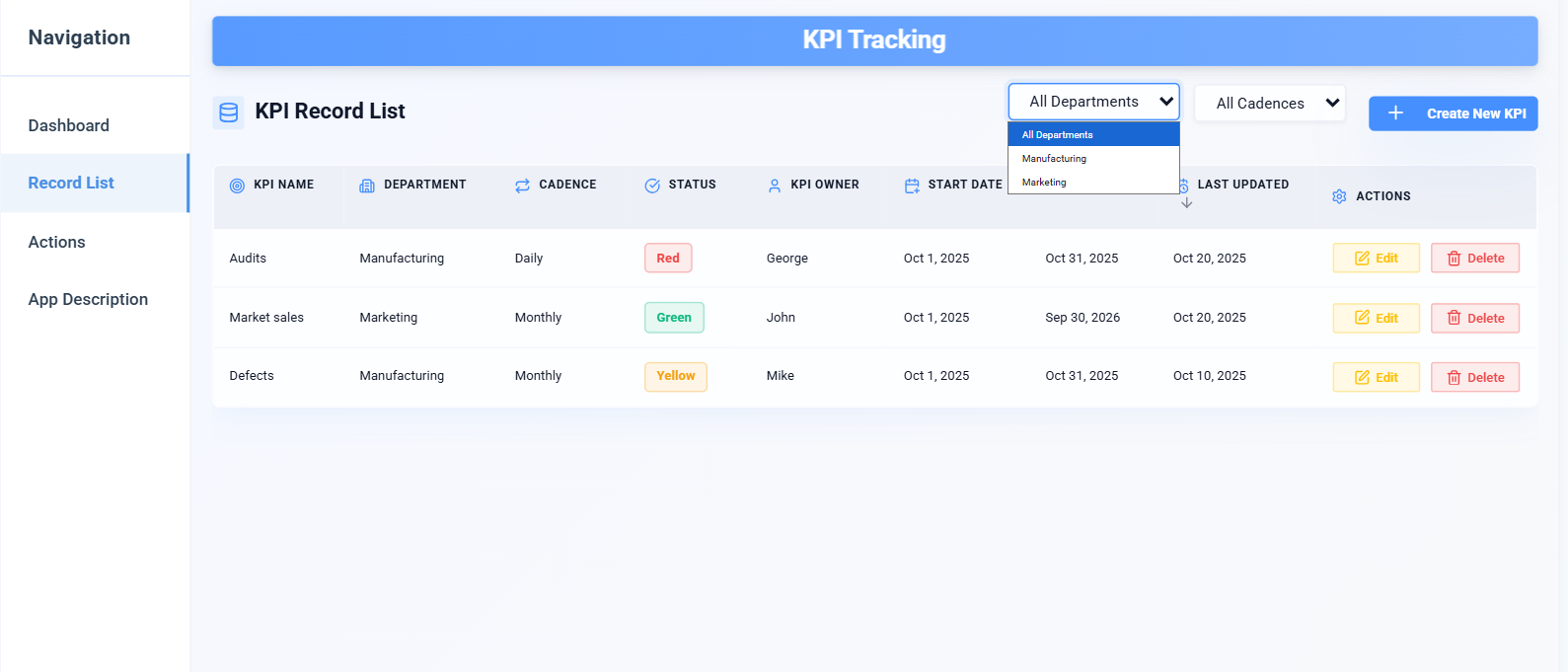
The Key Performance Indicators tool in Praxie empowers teams to define, track, and act on both leading and lagging KPIs using AI‑powered dashboards and customizable templates. It solves the business problem of unclear or delayed performance visibility—where you can’t see trouble brewing until after damage is done, or metrics are misaligned across teams. In Praxie’s secure shared workspace, leaders and teams collaborate in real time: selecting KPI definitions, connecting data from documents and SaaS systems, setting review cadences, and assigning accountability—with role‑based permissions and version tracking. Universal Context Technology ensures every AI query—such as “which leading indicators are trending down?” or “how are our lagging metrics performing relative to target?”—is grounded in live data, dashboards, and current business systems. The result: data‑driven clarity, early warning, and decision speed in minutes rather than waiting for periodic reports.

A Key Performance Indicators (KPI) Dashboard is an essential tool for strategy-focused organizations, offering a consolidated view of critical metrics that reflect the performance and direction of the enterprise. Typically utilized by executives, managers, and strategy teams, this dashboard centralizes vital data, facilitating quick analysis and decision-making. By presenting real-time insights in an easily digestible format, the KPI Dashboard enables organizations to monitor their strategic progress, identify areas of opportunity, and pivot their approach based on tangible feedback, ensuring alignment with their overarching goals and visions.
In today’s dynamic business environment, the Key Performance Indicators (KPI) Dashboard serves as an indispensable tool for organizations to gauge their performance against set strategic objectives. By providing a clear, visual representation of essential metrics, the dashboard facilitates informed decision-making and aligns teams toward achieving overarching goals.
Utilizing a KPI Dashboard in strategy formulation and execution is vital for modern organizations. Not only does it simplify the complex world of data, but it also provides actionable insights, empowering teams to react swiftly to changing conditions. By keeping performance metrics front and center, organizations can stay aligned with their strategic vision, ensuring continuous growth and adaptability in a competitive landscape.
Introducing a Key Performance Indicators (KPI) Dashboard into a strategy-oriented organization requires meticulous planning and execution. As a project manager, the onus is on you to ensure a seamless transition, enabling your team to harness the full potential of the dashboard for informed decision-making and strategic alignment.
Successfully introducing a KPI Dashboard into a strategy organization necessitates a blend of technical acumen, strategic foresight, and user-centric thinking. By following the outlined steps, project managers can ensure that the organization not only adopts the dashboard but also leverages it as a potent tool for strategic alignment and performance enhancement.


With Praxie, I found a way to take what was in documents and spreadsheets and provide my team with a visual environment to drive our strategy with full accountability.


Praxie makes it easy to track progress on strategic objectives across the organization and it includes an executive level dashboard that makes it easy to provide real-time reports to the board on key initiatives.


I would heartily recommend the Praxie team to any organization seeking to seriously undertake a lasting and successful innovation process.