


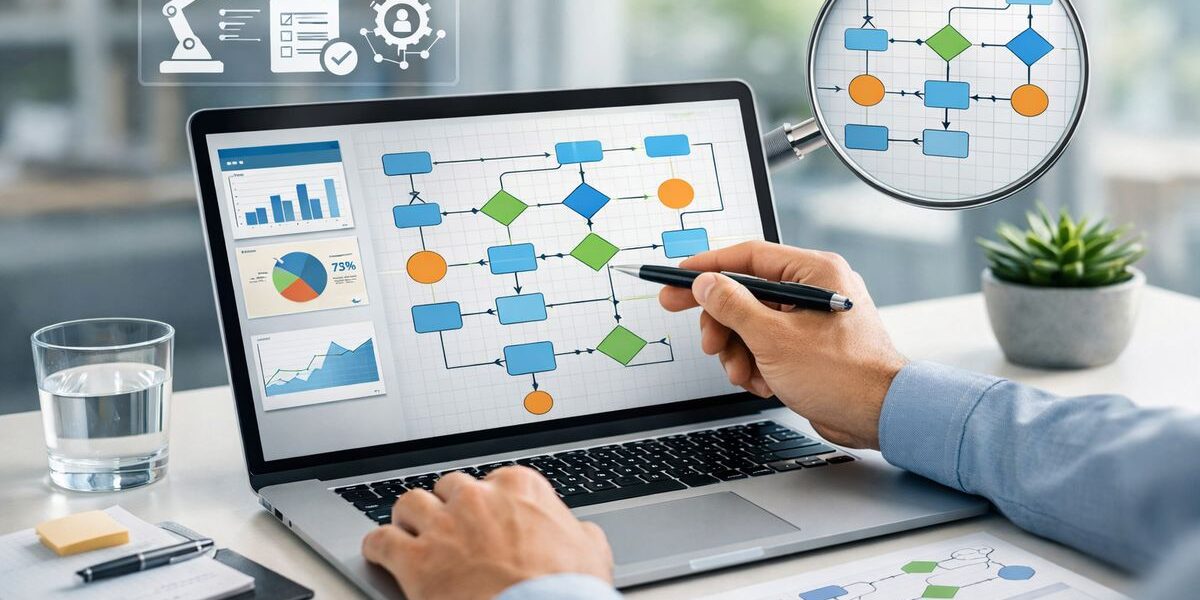
If your team has ever stared at a process map and thought, “That is not how this actually works,” you already understand why process discovery tools matter. Process discovery tools show how work really moves through your systems, screens, and handoffs, which is exactly what you need before spending serious money on automation or AI.
What process discovery tools actually do
Work almost always looks cleaner in a slide deck than it does at 9:12 on a Monday morning. Orders sit in queues longer than expected, people bounce between systems, someone exports a CSV “just for now,” and the real process drifts away from the documented one.
Process discovery tools are software products that uncover that real process. Instead of relying on workshops, interviews, or someone’s memory of how work is supposed to happen, the tool uses system data and sometimes user activity data to reconstruct what actually happened. That means you can see waste, delays, rework, and the spots where automation or AI could help.
Process discovery in one sentence
Process discovery is the practice of using data to find the real path work takes across systems and teams, not the ideal version captured in a policy doc or flowchart.
That distinction matters more than it sounds. An official process might say a maintenance request gets logged, approved, scheduled, and completed. Real life often adds side trips through email, spreadsheets, manual status checks, and repeat approvals that nobody planned for.
Why this matters more now that AI is in the mix
AI sounds smart until you drop it into a messy process.
Here’s the thing: AI works best when the workflow around it is understandable, the inputs are dependable, and the handoffs are clear. If your process has five unofficial exceptions, three duplicate data entries, and a bunch of tribal knowledge living in inboxes, AI is not going to magically tidy that up. In plenty of cases, it just makes confusion happen faster.
Bad process visibility is one of the fastest ways to waste an AI budget. If you cannot see where work slows down, where decisions get made, and where data quality breaks, you are guessing about where AI belongs.
How process discovery tools work behind the scenes
At a basic level, process discovery tools collect evidence of work and turn that evidence into a usable map. That sounds technical, but the idea is simple. Your systems are already leaving footprints. The tool gathers those footprints, links them into a sequence, and shows you the route.
Event logs, desktop activity, and system data
One common source is event logs, which are the time-stamped records your systems already create when something happens. An ERP, MES, CRM, or ITSM platform might record when a case opens, when an order changes status, when a work order gets approved, or when a ticket is reassigned.
That system-level view is useful because it gives you structure. You can track how a process moves end to end through enterprise applications, often across thousands or millions of cases.
But system data has blind spots. It may not show the manual work between steps, like copying data from one screen to another, checking a spreadsheet, or sending an email to chase an approval. That is where user-level activity capture comes in. Some tools use desktop agents or similar methods to observe on-screen actions, which helps expose repetitive human tasks and workarounds that never appear in core system logs.
Process maps, variants, and bottlenecks
Once the tool has enough data, it rebuilds the process path. Not just the main road, but the side streets too.
You usually get a visual process map that shows the most common flow and all the variants, meaning the alternate versions that happen in real operations. One purchase order might move straight through. Another might loop back for missing information, stall in review, and get touched by four extra people. Both count, and the difference between them is often where the problem sits.
Good tools make it easy to spot bottlenecks, rework loops, wait times, and exceptions. If 60 percent of service tickets route one way but 25 percent bounce between two groups before resolution, that is not just interesting. It is actionable.
Recommendations, not just pretty pictures
A process map alone is not enough. You are not buying wall art.
Stronger tools help explain why a delay keeps happening, what variables are associated with better or worse outcomes, and which process changes are most likely to pay off. Some rank automation candidates. Some surface likely root causes. Some connect findings to workflow, RPA, or AI opportunities so the insight turns into something useful.
That is the difference between “interesting dashboard” and “actual operating improvement.”
Process discovery vs. process mining vs. task mining
This is where the market gets messy. Vendors use overlapping labels, and products often blur categories on purpose.
Process discovery
Process discovery is the broad umbrella. It refers to uncovering how work actually happens, using data instead of assumptions. In practice, that can include system analysis, desktop observation, workflow analysis, and process documentation features.
Process mining
Process mining usually starts with system event logs. It is especially strong when you want to trace an end-to-end process across enterprise platforms like ERP, MES, CRM, or ITSM systems.
If you want to understand order-to-cash across SAP and Salesforce, or incident management across ServiceNow and support tools, process mining is often the right lens. It gives you scale and structure.
Task mining
Task mining focuses on what happens at the desktop level. It captures clicks, keystroke patterns, copy-paste behavior, application switching, and repetitive actions between systems.
That makes it useful for finding manual effort hidden between formal system steps. If an accounts payable process looks efficient in the ERP but staff still spend 14 minutes per invoice bouncing between Outlook, Excel, and a supplier portal, task mining is how you find that out.
Process capture and process documentation
Process capture tools record a workflow and turn it into documentation, often with screenshots, step lists, or SOP-style output. That is helpful for training, standardization, and knowledge transfer.
But documentation is not the same as discovery. Capture tells you how one instance of work was performed. Discovery analyzes patterns across many instances to show where the biggest delays, exceptions, and opportunities sit. If your goal is deciding what to improve, automate, or support with AI, documentation alone will not get you there.
The All-in-One AI Platform for Orchestrating Business Operations
 Instantly create & manage your process Use AI to save time and move faster Connect your company’s data & business systems
Where these tools fit in manufacturing and IT
Process discovery tools make the most sense where work crosses systems, roles, and handoffs. That is why manufacturing and IT teams keep coming back to them.
Manufacturing use cases
In manufacturing, the useful targets are rarely isolated tasks. The friction tends to happen between planning, execution, and response.
Production planning, order-to-cash, procurement, quality workflows, maintenance, engineering change management, and shop-floor to back-office handoffs are all strong candidates. Picture a Monday morning plant review: operations says the line delay came from material availability, procurement points to supplier timing, planning blames late order changes, and maintenance mentions a work order that sat unapproved. A process discovery tool gives you one version of the truth based on what actually happened, not whoever spoke first in the meeting.
You can also use these tools to find where approvals pile up, where rework starts, where quality exceptions branch off the normal path, and where manual coordination between MES, ERP, and email is stretching cycle time.
IT and enterprise operations use cases
IT has the same problem in a different outfit. Tickets move, but not always cleanly. Requests get rerouted. Changes sit waiting for validation. Access approvals vanish into inboxes.
Process discovery tools help map service desk workflows, incident and change management, onboarding, access requests, ticket routing, and application support. If incident resolution keeps missing targets, the issue may not be technician speed. It may be bad categorization, duplicate handoffs, or a queue design that creates unnecessary waiting.
Finding AI and automation candidates
This is one of the best reasons to care.
Without discovery, automation and AI projects often start from noise. The loudest complaint gets funding, not the process with the biggest payoff. Discovery gives you a clearer way to choose. You can see where tasks are repetitive, where decisions follow recognizable patterns, where delays are mostly information-related, and where human effort is spent on stitching systems together.
That helps you separate good candidates for workflow automation, RPA, copilots, and AI agents from bad ones.
The core features buyers should look for
Not every process discovery tool earns its keep. The features that matter most are the ones that affect speed, trust, and action.
Fast setup and data preparation
Time-to-value matters more than a giant feature list. Ask how quickly the tool connects to your systems, how much data cleaning is required, and who has to do that work.
Some products look impressive in a demo but need a lot of manual prep before you see anything useful. The catch is that long setup usually means slower adoption and more internal friction.
Integrations with the systems you already use
A tool that cannot connect to your actual stack becomes shelfware fast.
Look for support across ERP, CRM, MES, SCM, ITSM, productivity apps, and data warehouses. In manufacturing, that often means some mix of SAP, Oracle, Microsoft, plant systems, and homegrown layers. In IT, it might mean ServiceNow, Jira, Azure, identity tools, and collaboration platforms.
Cross-process visibility
Some tools are good at analyzing one isolated workflow. Others can trace how work moves across multiple interconnected processes.
That matters because the problem is often upstream or downstream from where the pain shows up. A late shipment may begin as a planning issue. A slow incident resolution may start with access friction or poor ticket classification. You want visibility beyond one box on the chart.
Ease of use for business and technical teams
If every question requires a data analyst, usage will stall.
Look for role-based dashboards, drill-down capability, and natural-language querying or similarly simple exploration features. Operations leaders should be able to inspect delays, compare variants, and understand findings without filing a ticket every time.
Built-in guidance on what to fix first
The best tools do more than highlight bottlenecks. They help rank opportunities, quantify likely impact, and point toward causes.
That guidance is especially helpful when you have ten ugly processes and budget to fix only two.
Security, privacy, and governance
This part gets serious quickly, especially when employee activity is involved.
Ask how the tool handles PII, how access controls work, whether activity capture can be masked or limited, what audit trails exist, and what deployment options are available. If desktop observation is part of the approach, privacy and labor sensitivity need to be addressed up front, not after rollout.
The questions to ask before you buy
Shortlisting gets easier when you ask blunt questions and expect blunt answers.
What data do you need from your side to make this work?
Ask what the vendor needs from you: event logs, APIs, desktop agents, process IDs, system exports, security reviews, admin access, and implementation support from IT. If the answer is vague, assume the effort will land on your team later.
How long until you see something useful?
This question cuts through marketing fast. Ask how long setup takes, when your first dashboard appears, how narrow the pilot can be, and how quickly one process can be validated.
Buyers usually care about this more than feature grids, and for good reason.
Can the tool support AI, automation, and process improvement together?
Insight sitting in isolation is less valuable than insight connected to action. Ask whether outputs can feed RPA, workflow tools, analytics environments, copilots, or process redesign work.
If the product stops at observation, you may still need another layer to do something with what you learn.
How does the tool handle process change over time?
Processes drift. ERP updates change paths. Policies add approvals. AI tools create new exceptions. What looked clean six months ago may now be a mess.
So ask whether the tool supports ongoing monitoring, not just one-time discovery. Continuous visibility is where the longer-term value tends to show up.
What kind of support does your team get after launch?
A lot of teams can generate process output. Fewer can translate that output into changes that stick.
Ask about training, analyst support, change management help, and how much guidance you get turning findings into improvements. A good platform without practical support can still stall.
Common mistakes buyers make
Most expensive detours start with a reasonable assumption that turns out to be wrong.
Buying for dashboards instead of decisions
A polished process map is not the win. The win is reducing rework, cutting cycle time, improving compliance, or choosing the right AI use case.
If the conversation stays focused on visuals instead of operating decisions, you are buying the wrong thing.
Starting too broad
Trying to map the whole enterprise first is a great way to create delay and confusion.
The trick is to start with one process that hurts enough to matter and is stable enough to measure. That gives you a cleaner test, faster proof, and fewer political headaches.
Ignoring frontline reality
System data can miss the messy middle. Spreadsheets, email, local trackers, whiteboard notes, copy-paste work, and “temporary” workarounds often carry more process truth than the official workflow does.
A process can look clean in SAP and still be a mess on the floor.
Treating discovery as a one-time project
One-time discovery produces a snapshot. Ongoing discovery builds an operating capability.
If your goal includes continuous improvement, better governance, or AI at scale, you need a way to keep watching the process as it changes.
How to evaluate process discovery tools in a pilot
A good pilot should feel practical, not theatrical.
Pick one process with visible pain
Choose a process with clear delay, handoff friction, or repeat complaints. Invoice approvals, maintenance requests, access requests, and incident resolution are all good examples because the pain is real and easy to explain.
Define success in operational terms
Use measures your team already tracks, like cycle time, rework rate, exception rate, touch time, compliance, or cost per case.
That keeps the pilot grounded. You are not testing whether the dashboard looks smart. You are testing whether the tool helps improve actual work.
Compare findings against what your team believes
Here’s where it gets interesting: the gaps between assumption and evidence are often where the value sits.
If your team believes approvals are the bottleneck but the data shows the bigger issue is incomplete requests getting bounced back, that changes what you fix first.
Test whether recommendations lead to action
The pilot should prove more than insight quality. It should show whether your team can turn findings into process changes, automation backlog items, or AI use cases.
If the tool identifies problems clearly but your team cannot act on the output, the value is still limited.
What good results look like
Good results are less glamorous than vendor slides and more useful than them too.
Near-term wins
Early value usually looks like faster visibility, cleaner documentation, clearer bottlenecks, and a prioritized list of process fixes or automation targets. You get a shared fact base, which alone can save a lot of circular debate.
In practical terms, that might mean faster maintenance approvals, fewer ticket handoffs, shorter order cycle times, or fewer manual touches in a support workflow.
Longer-term value
The bigger payoff comes when discovery becomes continuous. Over time, you get better standardization, stronger governance, cleaner handoffs, and a more reliable foundation for AI agents, copilots, and workflow automation.
That matters because AI does not just need data. It needs context. Process discovery helps provide that context by showing how work actually behaves in production, not how it looked in the original design.
A simple first step to try
Pick one cross-functional process this quarter and ask one blunt question: where does work slow down in real life, not on paper?
Start there. If a tool can answer that quickly, clearly, and in a way your team can act on, you are looking at something worth taking seriously.
The All-in-One AI Platform for Orchestrating Business Operations
Instantly create & manage your process Use AI to save time and move faster Connect your company’s data & business systems
