


AI-Powered Data Driven Presentation Builder Overview
AI-Powered Presentation Builder accelerates slide creation with:
Data driven slides, Guided outlines – Auto-drafting story arcs (problem → insight → solution → ROI) – Slide layouts-PowerPoint Export and More.
Just upload your spreadsheets and AI builds your slides. AI converts briefs, docs, and spreadsheets into tight slides with autogenerated charts, image suggestions, and citations. Built-in AI polishes copy to target tone (executive, technical, sales), rewrites dense bullets into visuals, recommends chart types, drafts talk tracks, and produces alt text and accessibility checks; it can also generate variants for A/B testing and assemble different cuts (3-slide exec, 10-slide sales, 20-slide deep dive) from one source deck. Optional connections pull assets from Drive/SharePoint/Box, data from Sheets/Excel/BigQuery, designs from Figma, and notes from Notion/Miro; export to PowerPoint/Google Slides/PDF, embed live dashboards, import CSVs, and enable SSO—useful on day one and expandable as your content operations scale.


Innovation Update Presentation

Board Update Presentation

Financial Plan Presentation

Marketing Update Presentation

Manufacturing Update Presentation
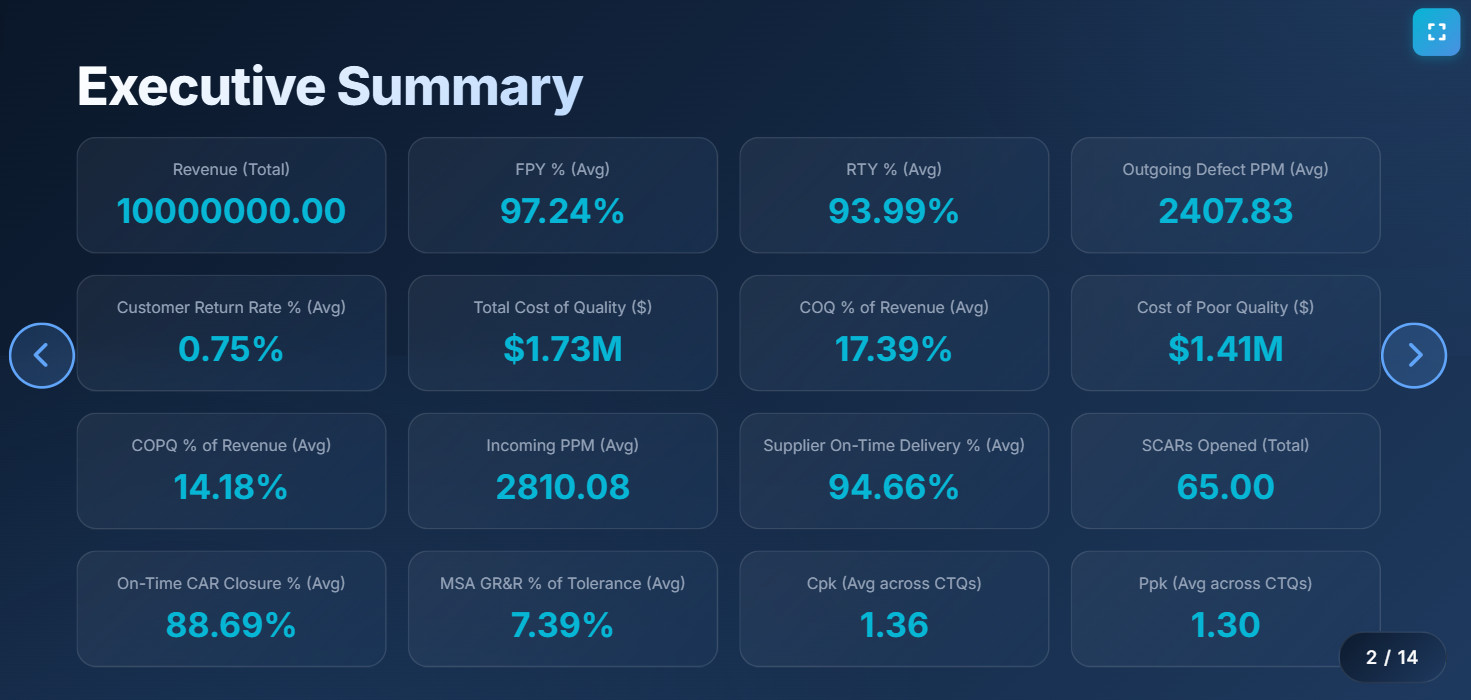
Quality Presentation
Supply Chain Update Presentation

Sales QBR Presentation

Sales Update Presentation

AI-Powered Presentation Builder Best Practices
Start with a clear brief—audience, objective, key message, decision ask—and lock a narrative spine (hook, problem, insight, solution, proof, next step). Standardize slide hygiene: one idea per slide, strong headline, supporting visual, minimal text; define “definition of done” (brand-compliant, readability, data source cited, alt text). Use AI to outline the deck, propose visuals, trim jargon, enforce tone, and generate speaker notes; let it recommend chart types and verify numbers against sources. Maintain a governed brand kit (templates, components, iconography), version control, and review gates (content, design, legal) with time-boxed SLAs. Calibrate for accessibility and clarity—contrast, font sizes, descriptive labels—and prefer visuals over bullet walls; include a clear CTA on summary/close slides. Close each cycle with a short retrospective (what resonated, what confused, slide heatmap/analytics), update templates and snippets, and keep a living library of proven slides so the system—and your storytelling—gets sharper over time.